

Download Xtranormal – Free Online Animation Tool, Create Videos Easily
Overview
Xtranormal is a cloud‑based animation platform that lets anyone turn a simple script into a fully voiced, animated video without installing any heavyweight software. The service was made famous by the viral “iPhone 4 vs. HTC Evo” parody that spread across YouTube, but today the tool is used by teachers, marketers, and casual creators alike.
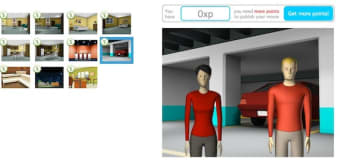
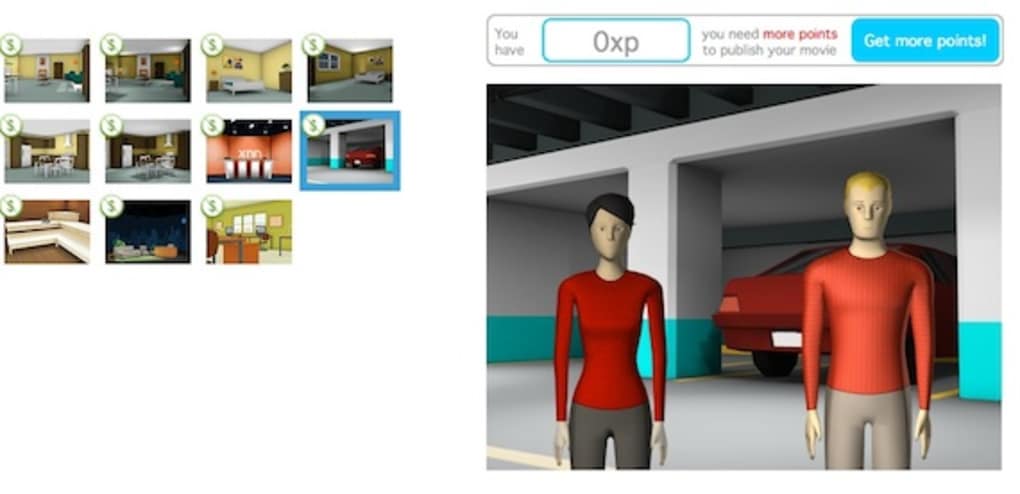
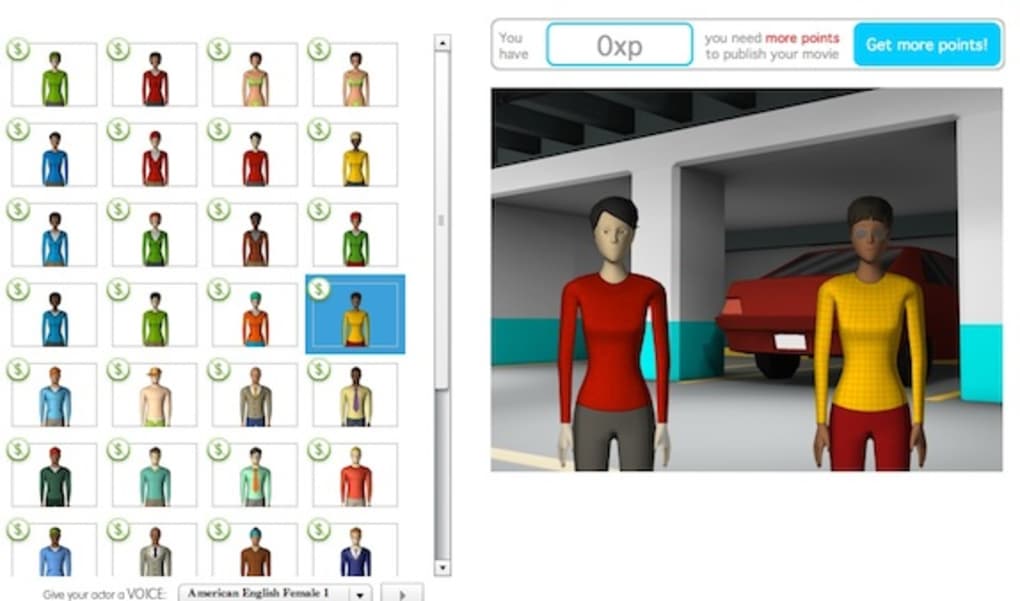
After a quick sign‑up, you can choose from a library of pre‑designed backgrounds—ranging from TV studios and office spaces to soccer fields—and populate the scene with up to two customizable characters. The characters speak using a built‑in text‑to‑speech engine, so you don’t need to record audio yourself. All you have to do is type dialog for each actor, set camera angles, move the characters around, and hit the “Preview” button.
While rendering can take a minute or two for longer clips, the result is a smooth, lip‑synced animation that can be exported as an MP4 or shared directly to social platforms. Xtranormal’s core promise is simplicity: you don’t need a degree in animation, a powerful GPU, or a subscription to a professional suite. The platform is free to create projects, but uploading finished videos for public distribution requires a small purchase of “points”—the cheapest bundle is 300 points for $5, which unlocks HD export and removal of the Xtranormal watermark.
In short, Xtranormal offers a fast, secure, and fun way to produce animated storytelling pieces, tutorials, or marketing snippets without a steep learning curve.
Key Features
- Drag‑and‑drop storyboard interface – no coding required.
- Built‑in text‑to‑speech engine with multiple language and voice options.
- Library of over 50 pre‑made backgrounds, from classrooms to corporate offices.
- Two fully customizable characters per project, each with adjustable clothing, skin tone, and facial expressions.
- Camera controls that let you pan, tilt, and zoom for cinematic effect.
- Simple timeline editor: add, reorder, or delete dialog lines with a single click.
- Instant preview mode that renders a low‑resolution version of your video for quick feedback.
- Export options include MP4, GIF, and direct YouTube upload.
- Point‑based pricing model – purchase credits only when you’re ready to publish.
- Cloud storage of projects so you can resume editing from any device.
Installation, Usage & Compatibility
Because Xtranormal runs entirely in a web browser, there is no traditional installation process. To get started, open a modern browser (Chrome, Firefox, Safari, or Edge) and navigate to www.xtranormal.com. Click the “Sign Up” button, enter an email address, and confirm the verification link.
Once logged in, you’ll land on the dashboard where you can create a new project or load an existing one from the cloud. The interface is split into three panels: a left‑hand toolbox for camera and character actions, a central stage that displays the current scene, and a bottom script editor where you type each line of dialogue. Begin by selecting a background from the drop‑down menu, then add up to two characters.
Use the toolbox to change their pose, expression, or position on the stage. After typing a line of text for the first character, click the “+” icon to add a line for the second character, and continue building your script. When you’re ready, hit “Preview” to generate a low‑resolution render.
This step may take 30‑90 seconds depending on scene complexity and internet speed.
Xtranormal is compatible with any operating system that can run a recent web browser, including Windows 10/11, macOS 12+, Linux distributions, iOS 13+, and Android 9+. Because all processing happens on Xtranormal’s servers, the client’s hardware requirements are minimal—just a stable internet connection and a device capable of playing HTML5 video. For users who prefer a mobile workflow, the platform’s responsive design adapts to tablets and smartphones, though the full feature set (especially precise character positioning) is best experienced on a desktop or laptop with a mouse and keyboard.
Pros, Cons, FAQ & Conclusion
Pros
- Extremely easy to learn – perfect for beginners and educators.
- No software download; works on any modern browser.
- Rich library of backgrounds and character customization options.
- Built‑in TTS eliminates the need for external voice recording.
- Affordable point system for publishing without a recurring subscription.
Cons
- Maximum of two characters limits more complex storytelling.
- Render times can be slow for longer or highly detailed scenes.
- Export quality is tied to point purchases; free version leaves a watermark.
- Limited animation actions – characters cannot perform complex gestures.
- Internet‑only; offline editing is not possible.
Frequently Asked Questions
Is Xtranormal really free to use?
Yes, you can create and preview projects at no cost. Points are only required when you want to export or publish a video without the Xtranormal watermark.
Can I upload my own background images?
Currently Xtranormal only offers its own built‑in backgrounds. Custom images are not supported in the free tier.
What languages does the text‑to‑speech engine support?
The TTS engine includes English (US & UK), Spanish, French, German, Italian, and a handful of other major languages, each with several voice options.
Is there a limit to video length?
While the platform does not enforce a strict time limit, very long scripts (over 5 minutes) may cause slower rendering and higher point costs for export.
Can I collaborate with teammates on a single project?
Projects are stored in the cloud under your account, so you can share the login credentials or export the project file to let another user continue editing.
Conclusion & Call to Action
If you’ve ever wanted to produce a short animated explainer, a classroom skit, or a quirky marketing clip without learning complex 3D software, Xtranormal delivers a surprisingly powerful solution. Its browser‑based workflow, intuitive storyboard layout, and built‑in speech synthesis make it one of the most accessible animation tools on the market. While the two‑character limit and occasional render delays keep it from competing with professional suites, the low price point and zero‑install requirement are perfect for educators, small businesses, and hobbyists.
Ready to see your script come to life? Sign up for a free Xtranormal account today, start your first project, and when you’re satisfied with the result, purchase a 300‑point pack for just $5 to publish your video without a watermark. Transform ideas into animated stories in minutes—download Xtranormal now and unleash your creativity!



.png)



